
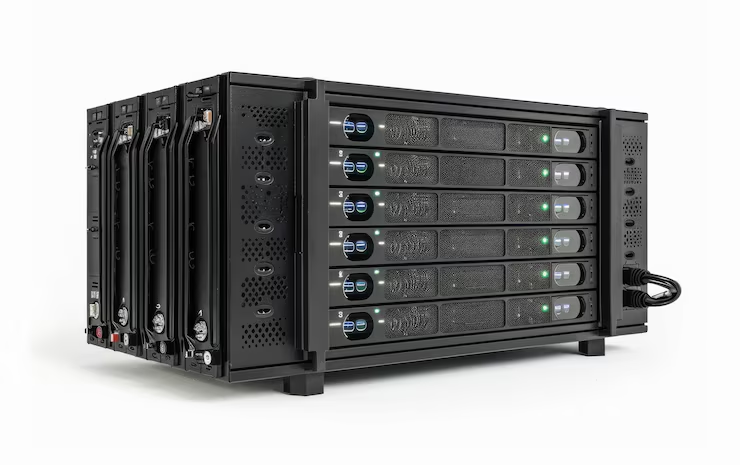

Have you ever wondered how your favorite website stays online all night? Or how you can save a photo on your phone and see it on your laptop later? The answer is computer servers. Think of a server as a very big, very fast brain that never sleeps. While your home laptop is made for one person to use at a time, computer servers are built to help hundreds or even thousands of people at once. They are the hidden engines that keep the entire internet running smoothly every single day.
When you click a link or send an email, you are asking a server for help. It listens to your request and sends back the information you need in a split second. Without these powerful machines, we would not have social media, online games, or even simple search engines. They are the backbone of our digital world. In this guide, we will look at how computer servers work and why they are so important for everyone.
Table of Contents
The Basic Jobs of Different Computer Servers
Not all computer servers do the same thing. Just like people have different jobs, servers have special tasks too. Some are like mail carriers that handle all your electronic messages. Others are like giant digital filing cabinets that hold onto your photos and videos so you do not lose them. Because computer servers are so strong, they can handle these huge jobs without getting tired or slowing down like a normal computer might.
For example, a web server is a type of machine that holds website data. When you type a web address, that server sends the page to your screen. There are also game servers that let you play with friends from all over the world at the same time. These computer servers make sure everyone sees the same game world without any lag. By giving each machine a specific job, tech experts can make the internet feel fast and reliable for all of us.
How Computer Servers Differ from Your Laptop
You might look at a computer and think it looks just like a server, but they are very different inside. Your laptop is built for simple things like schoolwork, watching movies, or browsing the web. On the other hand, computer servers are built with much tougher parts. They have more memory and much faster processors. This extra power allows computer servers to stay turned on for years without ever needing a break or a restart.
Another big difference is where they live. You carry your laptop in a bag, but computer servers usually live in special cool rooms called data centers. These rooms are kept very cold because these machines create a lot of heat when they work hard. While your laptop might get hot on your lap, computer servers have giant fans and cooling systems to stay safe. They are designed to be “workhorses” that provide service to others rather than being used by one person sitting at a desk.
Understanding Server Hardware and Parts
The “stuff” inside computer servers is what makes them so special. They use high-grade parts that you won’t find in a regular store. For instance, they use special hard drives that can read and write data much faster than a normal PC. These parts are also “redundant.” This means if one part breaks, another one is already there to take over. This helps computer servers stay online even if something goes wrong inside the machine.
Inside the case, you will find multiple CPUs, which are the brains of the operation. While your phone has one brain, computer servers might have two or four working together. They also have massive amounts of RAM, which helps them remember many tasks at once. Because these machines are so expensive and important, they are built to last a long time. Companies invest a lot of money into their computer servers to make sure their business never stops running.
A Helpful Look at Server Types
| Server Type | What it Does | Why it Matters |
| File Server | Stores and shares files | Let’s teams work on the same documents |
| Mail Server | Sends and receives emails | Makes sure your messages get to your friends |
| Web Server | Shows websites to users | Keeps the internet visible to everyone |
| Database Server | Organizes large lists of info | Helps stores track what they have in stock |
| Print Server | Manages office printers | Lets many people use one printer easily |
The Role of the Operating System
Every computer needs a “boss” to tell it what to do, and that boss is the Operating System (OS). While you probably use Windows or macOS, computer servers often use different systems like Linux or Windows Server. These systems are special because they don’t focus on pretty icons or games. Instead, they focus on being very stable and secure. A good OS ensures that computer servers can handle thousands of connections without crashing.
Software on these machines is often “headless,” which means there is no monitor or keyboard attached to it most of the time. Experts talk to computer servers using another computer from far away. This allows one person to manage hundreds of machines from their own desk. By using these smart operating systems, businesses can keep their data safe from hackers while making sure everything stays organized and easy to find.
Why Keeping Servers Cool is Vital
If you have ever felt your phone get hot while playing a game, imagine how hot a giant machine gets! Heat is the biggest enemy of computer servers. If they get too warm, they can slow down or even break forever. This is why data centers spend so much money on air conditioning and airflow. They arrange computer servers in long rows so that cold air can blow through them and carry the heat away.
Some really big companies even put their computer servers in very cold places, like underwater or near the North Pole! Using the natural cold air or water helps save money on electricity. When computer servers stay cool, they perform much better and last much longer. It is a constant battle to keep the temperature just right so that your favorite apps and websites never go offline.
Security and Protecting Your Data
Since computer servers hold so much private information, they have to be very safe. They use digital walls called firewalls to keep bad people out. Experts also use encryption, which turns your data into a secret code that only the server can read. Keeping computer servers secure is a full-time job for many people. They are constantly checking for bugs or holes in the system that might let a hacker inside.
Physical security is also a big deal. The buildings that hold computer servers often have thick walls, cameras, and guards. You can’t just walk in and touch a server! This high level of protection is why we trust computer servers with our bank details and private photos. Knowing that your data is locked away behind both digital and physical locks gives everyone peace of mind when using the internet.
The Cloud: Where Do the Servers Go?
You have probably heard of “The Cloud,” but did you know the cloud is actually just a bunch of computer servers? When you save something to the cloud, you are just sending it to a server owned by a company like Google or Amazon. These companies own thousands of computer servers all over the world. This is great because if one building loses power, your data is usually copied onto another server somewhere else.
Using the cloud makes life easy for us. We don’t have to buy our own expensive computer servers to store our files. We can just rent a little bit of space on someone else’s machine. This “on-demand” style of technology has changed the world. It allows even small businesses to have the same power as giant corporations by using shared computer servers in the cloud.
How to Choose the Right Server for a Business
When a company grows, they usually need to buy their first computer servers. Choosing the right one can be tricky. They have to think about how much space they need and how many people will be using it. If they pick a server that is too small, their website might crash when too many people visit. If they buy one that is too big, they might waste a lot of money on power they don’t use.
Most businesses look for computer servers that can grow with them. This is called “scalability.” It means you can add more memory or more hard drives later on without buying a whole new machine. Getting the right advice from a tech expert is key. They help balance the cost with the power needed to keep the business running smoothly. Good computer servers are an investment that helps a company make more money in the long run.
Common Questions About Servers (FAQ)
1. Can I turn my old PC into a server?
Yes! You can use an old computer as a simple server for your home. However, it won’t be as fast or as reliable as professional computer servers built for big jobs.
2. Do servers ever turn off?
Almost never. computer servers are designed to run 24 hours a day, 365 days a year. They only turn off for very quick repairs or updates.
3. Why are servers so loud?
They are loud because they have many high-speed fans. These fans spin very fast to keep the internal parts cool while the machine works on difficult tasks.
4. Is a server the same as a CPU?
No. A CPU is just the “brain” inside. A server is the whole machine, including the brain, the memory, the power supply, and the storage.
5. What happens if a server fails?
If a server fails, the website or app it runs might go down. This is why most companies have “backup” computer servers ready to take over immediately.
6. Do I need a server for my home?
Most people don’t need one, but some like to have a home server to store movies or backups of their family photos in one safe place.
The Future of Server Technology
As we move forward, computer servers are getting smaller, faster, and smarter. We are now seeing “edge computing,” where servers are placed closer to where people live to make the internet even faster. Some new computer servers are even starting to use Artificial Intelligence to fix themselves when they get an error! This means less downtime for us and a more reliable web for everyone.
In the end, computer servers are the unsung heroes of the modern age. Every time you stream a video or chat with a friend, remember that a powerful machine somewhere is working hard for you. As technology improves, these machines will only get better at connecting the world. Whether they are in a cold room or deep under the ocean, computer servers will continue to be the heart of our digital lives.