
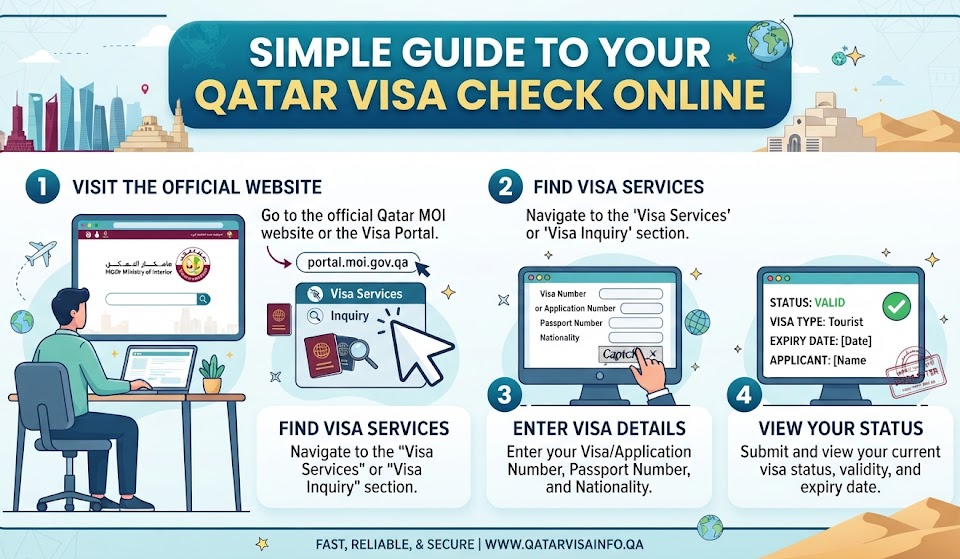

Planning a fun trip or a new job in a bright, sunny country is always exciting. If you are heading to the Middle East, you might need to do a qatar visa check to see if your travel papers are ready. Many people feel confused when they look at official portals for the first time. Do not worry at all! Checking your travel documents is actually very easy once you know the right steps. In this friendly guide, we will walk through everything together in very simple words so you can check
your status with confidence.
Table of Contents
Why Checking Your Travel Status Matters
Before you pack your bags and buy your plane tickets, you must make sure your paperwork is fully approved. Doing a regular qatar visa check helps you avoid stress at the airport gate. Imagine arriving for a flight only to find out your paper is still pending! Checking online lets you catch small mistakes early. It gives you peace of mind so you can focus on planning fun activities, like visiting museums or seeing amazing buildings in Doha.
What You Need Before You Begin
Before you open any website, you should gather a few important details. To run a successful qatar visa check, you usually need your current passport. Sometimes, a 15-digit visa number or an application reference number is also helpful. Keep your passport right next to you on the desk. Double-check that you select your correct home country from the list, because choosing the wrong country will give you an error message and slow down your search.
Using the Official MOI Portal
The main place to look up your travel documents is the official Ministry of Interior website. When you perform a qatar visa check through this portal, you get direct updates straight from the government database. Just open your web browser and navigate to the main page. Look for the services section, find the visa options, and click on the inquiry link. It is a safe and secure way to view your real-time status without sharing your data with strangers.
Steps to Search Using Your Passport Number
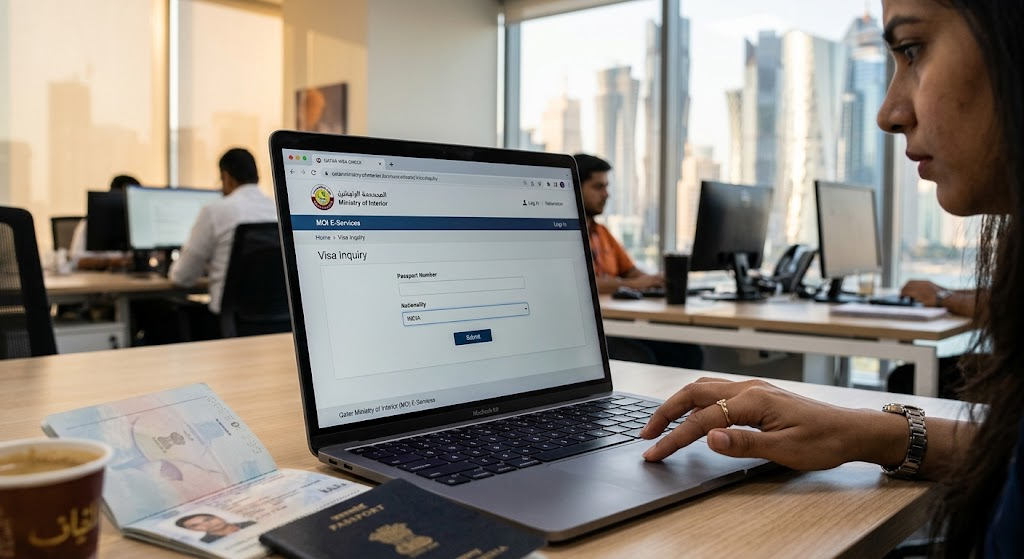
If you do not have your exact visa paper printout yet, you can still use your passport. For a smooth qatar visa check using your passport, select the passport search tab on the inquiry page. Type your passport number very carefully into the empty box. Pick your nationality from the dropdown menu, and type the security letters shown on the screen. Hit the submit button, and your current status will pop up right away.
Understanding Your Visa Status Results
Once the screen loads, you will see a short status word. During your qatar visa check, you might see words like “Approved,” “Under Process,” or “Expired”. “Approved” means you are good to travel! “Under Process” means the immigration officers are still reviewing your file, so you just need to wait a few more days. If it says rejected, you can ask your sponsor or travel agent to check what went wrong and fix the issue.
Tracking via the Qatar Visa Center
Another great option for certain workers and families is the Qatar Visa Center website. If you complete a qatar visa check through this alternative portal, you can track medical tests and fingerprint steps. This portal is very helpful for applicants living in specific countries who need to track their pre-departure steps. Just look for the track application button, type your reference code, and see where your application stands in the queue.
Using Mobile Apps for Instant Updates
Smartphones make life much easier today. Residents and frequent visitors can download the official mobile app created by the Ministry. Doing a qatar visa check on your phone lets you save your details for future use. You can check residency validity, view digital receipts, and get push notifications the exact moment your status changes. It takes less than one minute to open the app and tap on the visa services menu.
Common Mistakes to Avoid Online
Sometimes people get frustrated because their search fails on the first try. When doing a qatar visa check, always watch out for simple typing typos in your passport numbers. Even one wrong letter will stop the system from finding your record. Also, make sure you never use random third-party websites that ask for money to show your status. Stick only to official government links to keep your personal information safe and secure.
Complete Visa Details Biography Table
| Detail Category | Information Needed | Purpose in System | Example Value |
| Primary ID | Passport Number | Identifies your personal identity | A9876543 |
| Tracking Code | Visa Number | Locates your specific application | 3029182736 |
| Home Country | Nationality Dropdown | Matches regional database rules | India / Nepal |
| Resident ID | Qatar ID (QID) | Tracks active local residency | 28193847561 |
Final Thoughts and Next Steps
Checking your travel documents does not have to be scary or complicated. By following this simple guide for your qatar visa check, you can verify your approval status right from your couch. Always double-check your numbers, use official portals, and give yourself plenty of time before your flight. Have a wonderful and safe journey to Qatar!
Frequently Asked Questions (FAQs)
1. Can I do a qatar visa check without my passport number?
Usually, you need either your passport number or a valid visa number to search the official database. These numbers protect your privacy so strangers cannot look up your personal information.
2. How long does it take for a visa status to update?
Most standard applications update within 24 to 72 hours after submission. If you just applied today, it is normal for a qatar visa check to show pending for a short while.
3. Is it free to check my visa status online?
Yes, using the official government website or mobile app to perform a qatar visa check is completely free of charge. Never pay money to unofficial third-party websites promising faster results.
4. What should I do if my visa status shows rejected?
If your status says rejected, do not panic. Contact your employer, sponsor, or travel agency immediately to find out why and see if you can reapply with corrected documents.
5. Can I print my visa copy directly from the website?
Yes, once the system shows your status as approved, the official portal provides a handy print option so you can keep a physical paper copy for your travel files.
6. Do children need a separate check for their visas?
Yes, every individual traveler—including children and infants—must have their own separate passport and visa details verified through the system before boarding a flight.